
-
Log in to your LIA Profile
- Visit LIA’s website and click on Login (top right corner).
- Enter your username and password to access your account.
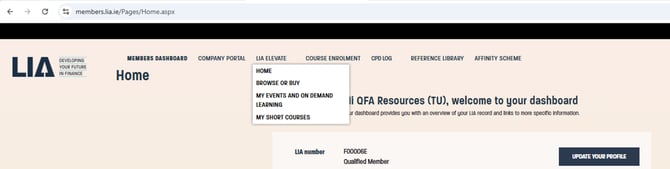
- Top Navigation Bar, select LIA Elevate >> Browse or Buy
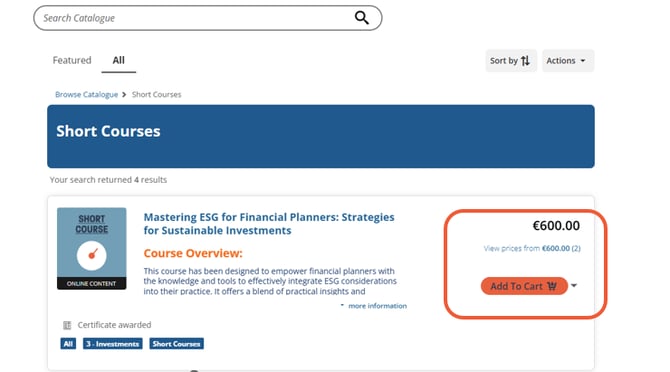
- Browse the available courses and select the one you wish to register for and select add to cart.
- Fill out your details and follow the instructions on screen.
Confirmation & Access
- Once registered, you should receive a confirmation email.
- If the course includes live sessions, details on access and dates will be provided.
- For on-demand courses, you should be able to access the content immediately through LIA Elevate.